Arun Patwardhan
Hi, Im an Apple Certified Master Trainer – Technical, Founder Amaranthine which is a Technology focussed training company. I provide training on various Apple technologies. Other than Apple I also conduct trainings on Open Source technologies and Productivity.
I write about a lot of different things related to Mobile devices & computers. Feel free to share your thoughts about them. You can reach me by contacting me through the Contact Me page.
Certifications I have completed:
You can view the certifications on Credly

Posts
- Working with Apple Business Manager/Apple School Manager API
 API Apple has recently introduced the ability to gather certain information from Apple Business Manager/Apple School Manager using the API. This makes acessing the information using shell scripts possible. One the big advantages of this is the ability to pull out information and share it with those members of the organisation who do not have … Continue reading Working with Apple Business Manager/Apple School Manager API
- Using Swift DocC to generate documentation for Shell scripts
 What is DocC? In an earlier article we discussed how to create documentation for Swift projects and frameworks. In this article we will look at how to use DocC to generate documentation for shell scripts. DocC is a documentation rendering tool built into Xcode that allows developers to easily build documentation for their code. Traditionally, … Continue reading Using Swift DocC to generate documentation for Shell scripts
- DocC documentation in Xcode
 What is DocC? DocC is a built-in documentation rendering tool that allows developers to easily build documentation for their code. Traditionally, developers would create documentation for their code via comments and then separately create documentation files for reference for other developers. DocC combines the 2 steps into a single step, making it easy for developers … Continue reading DocC documentation in Xcode
- Shell scripting in macOS – Part 10: Distribution
 This is the last article in the series of scripts. We will take the script from Part 8 and continue with it. We will be taking our folderCreator script and using it in our distribution process. Distribution is the process of placing the script along with any supporting resources on a destination computer making it … Continue reading Shell scripting in macOS – Part 10: Distribution
- Shell scripting in macOS – Part 9: Automating scripts
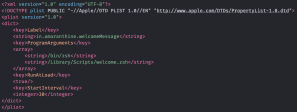 This article is NOT a continuation of the previous article. The topics covered in this article won’t be used in our folder creation script as the features covered are not required or can’t be appropriately used. We will use a different script instead. This article is a continuation of the Shell scripting series though. Why automate? Most … Continue reading Shell scripting in macOS – Part 9: Automating scripts
- Shell scripting in macOS – Part 8: Arrays & DictionariesThis article is a continuation of the previous article. We will be taking the previous script and using it to build on the concepts we will learning in this article. So far we have been working with a single piece of data. This was stored in a single variable. For each new piece of information we created a new … Continue reading Shell scripting in macOS – Part 8: Arrays & Dictionaries
- Shell scripting in macOS – Part 6: User interactionThis article is a continuation of the previous article. We will be taking the previous script and using it to build on the concepts we will learning in this article. Why would we need to do this? So far our scripts have run without any communication between the script and any user. In many situations … Continue reading Shell scripting in macOS – Part 6: User interaction
- Shell scripting in macOS – Part 5: LoopsThis article is a continuation of the previous article. We will be taking the previous script and using it to build on the concepts we will learning in this article. Loops Often times we will come across a situation where we want to perform a task repeatedly with different pieces of data. For example, here … Continue reading Shell scripting in macOS – Part 5: Loops
- Shell scripting in macOS – Part 7: Miscellaneous
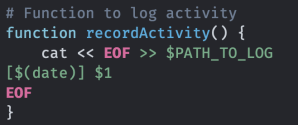 This article is a continuation of the previous article. We will be taking the previous script and using it to build on the concepts we will learning in this article. We will be covering a few different features, available in shell scripting, in this article. Functions Often times, you will find that there are some … Continue reading Shell scripting in macOS – Part 7: Miscellaneous
- Shell scripting in macOS – Part 3 Condition checks
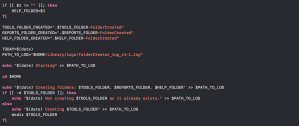 This article is a continuation of the previous article. We will be taking the previous script and using it to build on the concepts we will learning in this article. Performing tasks conditionally So far our script has been performing tasks uninterrupted one after the other. But often times you will come across a situation … Continue reading Shell scripting in macOS – Part 3 Condition checks
- Shell scripting in macOS – Part 4: Documentation and helpThis article is a continuation of the previous article. We will be taking the previous script and using it to build on the concepts we will learning in this article. Documentation in scripts As you must have observed, our script has already grown to a fairly large one. It still performs the same task we intended it to perform, … Continue reading Shell scripting in macOS – Part 4: Documentation and help
- Shell scripting in macOS – Part 2: Managing information
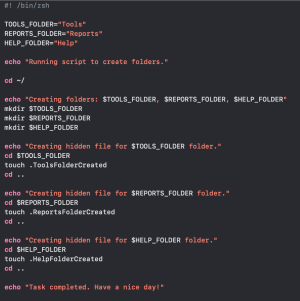 This article is a continuation of the previous article. We will be taking the previous script and using it to build on the concepts we will learning in this article. Using Variables to store information First up we will look at variable. Variables are containers that can hold information. The biggest advantage of this is … Continue reading Shell scripting in macOS – Part 2: Managing information
- Shell scripting in macOS – Part 1
 The scripts in the following articles are written in macOS Big Sur. You can use these concepts to create scripts on UNIX and Linux too. This is the first part of a multipart series. You can find links to further articles at a table located at the bottom of this article. I will be updating … Continue reading Shell scripting in macOS – Part 1
- Screen capture and recording in macOS
 Continuing from the articles on recording macOS and iOS screens here is another handy built in tool. Press the key combination ⇧ ⌘ 5 and it brings the screen capture/recording menu. You can perform all the operations available from the menu here. Of course once we start the recording then we can see the record … Continue reading Screen capture and recording in macOS
- Creating custom operators in Swift
 What are custom operators? Custom operators are operators that are defined by us and are not part of the programming language natively. We are all aware of the built in operators in the Swift Language. Operators like: + – * % > == ! to name a few. These operators are defined by the system. … Continue reading Creating custom operators in Swift
- Creating Code Snippets in Xcode
 What are code snippets? Code snippets are as the name suggests, short pieces of code that can quickly be inserted into your code file. This is done either by dragging the snippet or by typing out the completion. Code snippets are very easy to create and use and can be applied in a wide variety … Continue reading Creating Code Snippets in Xcode
- List of macOS Terminal commandsThis article lists out different macOS terminal commands you might encounter. You can use this list as a starting point in your search for a command to perform a specific task. This list is by no means exhaustive. Basic terminal commands are not listed here. Some of them are listed in the following Terminal command … Continue reading List of macOS Terminal commands
- Useful scripts for macOS
 Getting Started You might find these articles useful Terminal Commands Part -1 Terminal Commands Part -2 Terminal Commands Part -3 Configuring/Troubleshooting with CLI One of the advantages with scripts is the fact that you can easily automate many tasks. Here is an article that walks you through that process. If you come across a situation … Continue reading Useful scripts for macOS
- Creating custom templates for iOS App Development
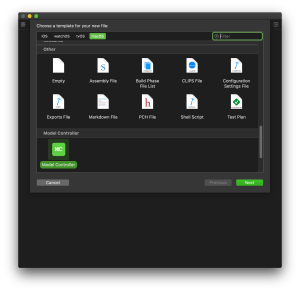 What are Xcode templates? Xcode templates are basically pre-created files which we use when we create new projects or project files. So every time you go through the process of creating a new project File > New > Project > iOS > Single View App you are using the Single View App template. While most … Continue reading Creating custom templates for iOS App Development
- Creating iOS Apps without Storyboard – Part 2
 Autolayout Programmatically This article continues from the previous article. Earlier we saw how we can make iOS Apps without using the storyboard file. In this article we will explore how to implement Autolayout programmatically. We will continue from the previous article. The code that I will be showing in the article will not be covering … Continue reading Creating iOS Apps without Storyboard – Part 2
- Creating iOS Apps without Storyboard – Part 1
 What are “nibless” apps? Apps which are designed without the help of Storyboard are called as “Nibless” apps. Normally we design an app with the help of a Storyboard file. Earlier they were called Xib files or Nib files. Hence the term “Nibless”. Why should we create Apps without storyboard? There are a number of … Continue reading Creating iOS Apps without Storyboard – Part 1
- Creating your own Drag and Drop DMG
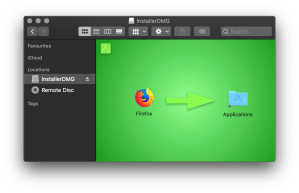 What are Disk Images? Disk images are a means of archiving data. They are created using a tool called Disk Utility which is a File System Management Utility of macOS. Disk Images follow the extension ‘.dmg‘ and are only compatible with macOS. Disk Images are a popular way of distributing applications for macOS. They provide … Continue reading Creating your own Drag and Drop DMG
- Creating reusable UI Components for iOS App Development
 In an earlier article I had discussed how we can create our own frameworks to easily share reusable code. In this article we will take this a little further and create our own reusable UI Components. Points to Note: The reusable component we will be creating is based on UIKit. For that reason this component … Continue reading Creating reusable UI Components for iOS App Development
- Programming Style Guide: Command Query Separation
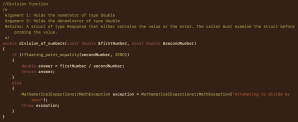 An important aspect of programming, and one that people don’t think of to often, is being able to express the intentions of the code clearly. Most of the times we programmers get lost in the code we write. It is important to step back and take a look at the code we have written from … Continue reading Programming Style Guide: Command Query Separation
- Migrating to Swift from Objective-CThis article explores some of the advantages and challenges faced by developers while migrating to Swift from Objective-C. 1. Do we want to migrate? Before you start the migration process remove the old adage: If it isn’t broken, don’t fix it! Start by identifying the reasons why you wish to migrate. Here are some possible … Continue reading Migrating to Swift from Objective-C
- iPhone Screen Recording – Part 2
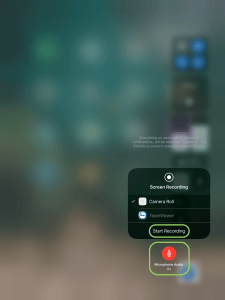 This is an addendum to the earlier topic on Screen and Audio recording on macOS & iOS. In the earlier article we had discussed how to share the iPhone screen on the project or how to record iPhone screen activities. In this article we are going to see how to use the built in feature of … Continue reading iPhone Screen Recording – Part 2
- Using Swift Package ManagerAbout Swift Package Manager The Swift Package Manager is the tool used to build Applications and Libraries. it streamlines the process of managing multiple Modules & Packages. Before we go ahead and learn to use Swift Package Manager we need to get familiar with some basic terminology. Modules Modules are used to specify a namespace … Continue reading Using Swift Package Manager
- UPDATE: Swift on Linux
 This article is an UPDATE for Writing Swift Programs on Linux This article uses Command Line Interface(CLI) to write Swift Programs. If you are new to CLI then you should read the following articles: Terminal Commands for OS X – Basic, Terminal Commands for OS X – Part 2. This article has been written using Ubuntu version 16.04 … Continue reading UPDATE: Swift on Linux
- Automation on the Mac
 In this article we are going to look at the different technologies available for automating tasks.
- Screen and Audio recording on macOS & iOSIn this article we are going to look at how we can use the built in Application: QuickTime to record a screen or a movie. In fact, the videos that you are about to see in the article below were created using QuickTime. A good reason to record the activity on the screen would be to … Continue reading Screen and Audio recording on macOS & iOS
- Programming Style Guide: Documentation
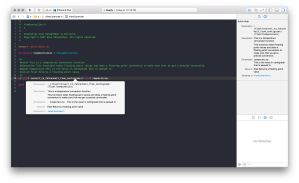 Now we will shift our attention to that part of programming which is often ignored. Documentation. Documentation is a key part of programming. In fact, some might go as far as saying that Documentation is the most important aspect of Programming. Let us understand what we mean by documentation by looking at some key points. … Continue reading Programming Style Guide: Documentation
- Buyers Guide for macOS & iOS in the Enterprise
 This article is more of a productivity article aimed at getting first time users up and running quickly on their Mac, iPhones or iPads. Anyone looking to buy one of these products or Tech Support teams that help employees with their computers would find this article helpful. The thoughts shared here are personal, readers are … Continue reading Buyers Guide for macOS & iOS in the Enterprise
- Adding formatted text to Swift in Xcode
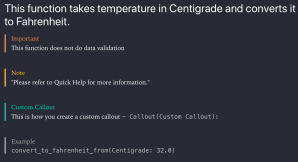 Formatting in Playgrounds and Xcode projects is achieved using Markups in comments. The following article describes some of the things that you can do. Note that there are many more ways of acheiving some of the effects shown here. The idea behind markups is to make your code more readable whether you are using Playgrounds … Continue reading Adding formatted text to Swift in Xcode
- Programming Style Guide: Code Refactoring
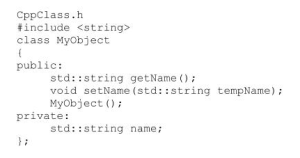 One of the key attributes towards code that is readable and easy on the eyes is code that is split into appropriately sized pieces. Code refactoring is does exactly that. It is very easy to write a program as one big piece of code. Of course, any program that grows becomes increasingly complicated and highly … Continue reading Programming Style Guide: Code Refactoring
- Programming Style Guide – The Need for programming standardsProgramming Style Guide refers to the conventions followed while writing programs. This guide is going to be a series of blogs highlighting different programming standards. The series will try to cover as many standards as possible, focus will be on common and popular standards. But why the need for programming standards? Standards help software developers … Continue reading Programming Style Guide – The Need for programming standards
- Programming Style Guide: Naming ConventionsToday we are going to look at Naming conventions you can follow while writing code. Naming conventions lay down the basic rules for naming different elements in your code. The objectives are simple: Make the element easy to read Should be self explanatory Should contain information in a compact and concise manner. Ideally a well … Continue reading Programming Style Guide: Naming Conventions
- macOS & iOS IT Tool List
 This list is based on questions that I have been asked by various IT admins. It is more of a collection of tools (mainly software, but a few hardware tools too) that Enterprise IT Teams might find useful while supporting/managing Macs & iPhones in the enterprise. Some of the tools are free, while others are paid. … Continue reading macOS & iOS IT Tool List
- Creating multi-OS Install Disk
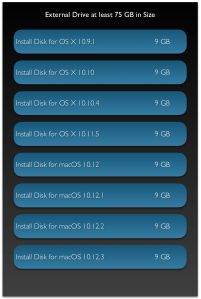 In this article we are going to look at how to create a multi-OS Install Disk. We are going to look at the example of creating a multi-OS Install Disk for the following versions of the OS: 10.9.1 10.10 10.10.4 10.11.5 10.12 10.12.1 10.12.2 10.12.3 The idea is to have a single disk with multiple … Continue reading Creating multi-OS Install Disk
- Understanding Constructors & Initialization in SwiftThis video is best viewed at 720p
- COLLECTION TYPE, SEQUENCE TYPE & INDEXABLE TYPE – UpdateThis is an update to the topic covered earlier. You can read about the Protocols in detail in the original article. Collection Type, Sequence Type & Indexable Type Most of the things are the same here are some of the changes: The Indexable protocol is now not necessarily required. All the aspects of the indexable protocol now … Continue reading COLLECTION TYPE, SEQUENCE TYPE & INDEXABLE TYPE – Update
- When to use Swift & when to use Objective-C?Over the past few years I have received a number of questions with regards to Swift & Objective-C. Specifically related to the future of the 2. I will try to address those questions in the form of an FAQ. Should I learn Swift or Objective-C? This is a question that I get from developers new … Continue reading When to use Swift & when to use Objective-C?
- Apple ID & iCloud in Enterprise
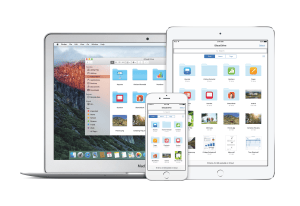 This is the third part in the 3 part series on Apple ID & iCloud. This part touches on enterprise specific aspects. Here are the links to Part 1 & Part 2.
- iCloud
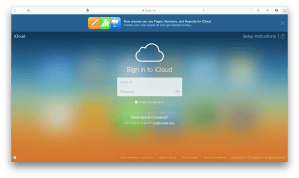 This video is best viewed at 720p Previous Video: Apple ID & iTunes
- Collection Type, Sequence Type & Indexable TypeThis is for Swift Version 2.2 & earlier. I will be adding the snippet of code for the changes the Swift 3.x have introduced. What are the Collection Type & Sequence Type Protocols? The Collection Type, Sequence Type & Generator Type Protocols define rules that govern how different data structures or collections of data can be used, … Continue reading Collection Type, Sequence Type & Indexable Type
- Creating Frameworks for iOS/OS X App DevelopmentCreating Swift Frameworks Creating Swift Frameworks is easy. The steps below walk you through creating a Swift Framework. The steps below have been performed on Xcode 7.3 Launch Xcode. Select Create New Project. Or from the menu bar select File > New > Project From the Template chooser select the Framework & Library Option under iOS Select Cocoa … Continue reading Creating Frameworks for iOS/OS X App Development
- What to do before buying/selling Apple devices?Apple’s devices are getting more and more popular by the day. People are really excited to get hold of the newest product that comes out of its stable. This guide walks you through some of the things you need to keep in mind while buying used devices or selling your existing device. This may not apply … Continue reading What to do before buying/selling Apple devices?
- Apple ID & iTunes
 For best viewing please make sure the quality is set to 720p 60 HD.
- Loading your App on your iPhoneTo view the channel click here.
- Writing Swift Programs on LinuxSwift Programming on Linux The steps below walk you through the process of downloading, installing & using the Swift Programming language on Linux. For this I will be using Ubuntu Linux 14.04.3 LTS version. Setup & Configuration Downloading Swift The first step is to download Swift from the link given below. Select the correct version … Continue reading Writing Swift Programs on Linux
- Configuring/Troubleshooting OS X Using Command LineThe following are some commands that you can use for Configuration &/or Troubleshooting. This list is by no means exhaustive. Do check the man pages for more information. This article assumes familiarity with Terminal commands. If you are new to the Terminal Application, please read the following articles before reading this one. Terminal Commands for … Continue reading Configuring/Troubleshooting OS X Using Command Line
- OS X and iOS troubleshooters toolkitThis article covers some of the things troubleshooters would need during their everyday work. I’ve also listed links to some products and applications as an example. It is by no means an endorsement of the same. OS X Install Disk: This is probably one of the most important tool that a troubleshooter must carry around … Continue reading OS X and iOS troubleshooters toolkit
- Simple steps for securing your Mac
 Continuing on from the previous post, where we learnt to secure our iOS devices, we will now apply similar steps on the Mac. The security of a computer is easy to maintain if physical access to the device is restricted to yourself as far as possible. If any unauthorised person has physical access to your … Continue reading Simple steps for securing your Mac
- Simple steps towards securing your iPhoneData safety is always a must. With portable devices it gets even more important. Here are a few steps that one can take to make sure their iPhone/iPad/iPod touch is secure. While the guide says iPhone, you can apply many of these steps to other iOS devices, subject to feature availability. PASSCODE & TOUCH ID UNLOCK This … Continue reading Simple steps towards securing your iPhone
- Managing all your data on iOS devicesIn todays interconnected world managing all your data is quite important. Most of us end up having more than one smart device that we use everyday. As time goes on we will buy a newer version of the device. It is not necessary that we will get a newer version of each smart computer that … Continue reading Managing all your data on iOS devices
- Backing up your WhatsApp messages using iCloudIts a safe assumption that most of us use WhatsApp for our everyday communication. In fact, it is one of the most widely used methods of communication. People use it for all kinds of things: Staying in touch with friends, family. Collaborating with people on an office project, conducting team meetings, communicating with a client. This … Continue reading Backing up your WhatsApp messages using iCloud
- File types in OS XThis Article is for those new to the Mac or for those who have questions about the different file types in OS X. The lists below aren’t complete and in many cases may require the user to install additional Apple software or third party tools. File Extensions The table below lists some of the commonly … Continue reading File types in OS X
- Managing all your data on your MacOne of the single most important aspects of using a computer is Data Management. In this article I will be going over the various features available & steps that you can take to manage your data in a safe, secure & efficient way. BACKUP It happens ever so often that we are faced with a … Continue reading Managing all your data on your Mac
- iOS Device guide for App DevelopersDevelopers making iOS Apps regularly come across situations where they need to find out the dimensions of the screen or the icons. This guide should give a better idea about the same. iPhone 5S/SE iPhone 6/6S/7/8 iPhone 6+/6S+/7+/8+ iPhone X Display Points 320×568 375×667 414×736 375×812 Pixels 640×1136 750×1334 1242×2208 1125×2436 Display Points to Pixels … Continue reading iOS Device guide for App Developers
- Cloud Services DemystifiedA lot of us use cloud services. Here we will talk about some of the popular services & how to use them to maximise your advantage. What is Cloud? Cloud Service is a technology that makes your data available across multiple devices. Depending on service provider this may even be cross platform. This is great … Continue reading Cloud Services Demystified
- Clarifying Swift & Objective-CApple made a surprising announcement at the recent WWDC held between June 2-6 2014. While everyone was looking forward to the launch of the new OS for both the Mobile as well as Mac platforms, Apple also announced a new programming language for developers. SWIFT. It was described as Objective-C without C. Over the past … Continue reading Clarifying Swift & Objective-C
- iOS Developer Programs ExplainedMost people who first venture off into App Development focus their efforts on the design of the App & its implementation. However, when the time to publish the app comes along then there are questions as to which developer program he/she should opt for. Developer programs are online accounts created by Apple for the developer … Continue reading iOS Developer Programs Explained
- Making a case for OS X ServerAlmost everyone is aware of the OS running on Apple Computers. Its called OS X & each version gets a name from a location in California (they used cat names earlier). But what is little know is about the Server that is also made available from Apple. Its called as OS X Server. Not only … Continue reading Making a case for OS X Server
- Things to think about while being an App DeveloperWhile we all are interested & excited about making new apps & publishing them to the app store, here is something else to think about & keep in mind. An interesting article on NDTV.
- Configuring an SVN Server on OS X on your Local NetworkThe following post walks through the steps required to setup a simple SVN server to share files with users on the network. Note: Familiarity with Terminal Commands is required. Please go through the following blogs: Terminal Commands, Terminal Commands 2, Terminal Commands 3 Note: The following steps illustrate the process of setting up an SVN … Continue reading Configuring an SVN Server on OS X on your Local Network
- Terminal Commands – Part 3This post follows up on the previous 2 posts. Here we will look at some advanced commands. Note that this is by no means a comprehensive list. You can visit the online version of the man pages: Apple Man Pages Here are the links for the previous posts. Terminal Commands – Part 1 Terminal Commands – … Continue reading Terminal Commands – Part 3
- Terminal Commands for OS X – Part 2Continuing from the previous post on. RENAMING FILES & FOLDERS The way files/folders are renamed is by using the mv command. In the mv command make sure that the destination folder is the same as the source folder for your target, its just the target name that changes. So if we have a folder called … Continue reading Terminal Commands for OS X – Part 2
- Terminal Commands for OS X – BasicThis is the first part of the Terminal Commands topic. This article covers the basic commands which a user can use on the terminal. To launch the terminal application simply navigate to /Applications/Utilities/Terminal. Alternatively, you can even search for the same using spotlight. cd This command is used to change the current directory we are. … Continue reading Terminal Commands for OS X – Basic
- Sign PDF Documents in Preview on a MacOne often encounters a situation where we would like to sign a document that we have received over email & send it across back. Or it may just be the case that we have created a PDF document & now need to sign it & send it back. This post illustrates how we can do … Continue reading Sign PDF Documents in Preview on a Mac
- The fading art of pens..The fading art of pens.. Thanks to the proliferation of low cost laptops, tablets & smarphones he number of people using pens is dwindling. Its a little sad as pens are still a great way to record one’s thoughts or to write a message. I still use one loyally.
- Mobile PaymentsMobile Payments
- To use Interface Builder or not to use Interface Builder…A lot of students who come to learn iOS App Development ask me this question. There are a lot of people who don’t even know that there is another way to develop apps. For those who are new to app development let us have a look at 2 approaches towards app development. Interface Builder: Interface … Continue reading To use Interface Builder or not to use Interface Builder…


Here are some of the courses that I teach.

Software Development
iOS App Development macOS App Development C Programming C++ Programming

macOS Management
Supporting macOS Enterprise macOS Management macOS Support Essentials Jamf 200 Jamf 300

Productivity
Pages, Keynote, Numbers Using macOS Using iOS Devices Getting started with iMovie


Dear Sir,
This is Tathagata from Lexmark International India. I came accross your profile from google search. I develop device drivers and applications for Mac OS X. Recently we took decision to go for automating our testing – both the GUI part and functional. But I’m unable to find any such tool that will cater to our need. EggPlant / Sikuli is there but that is totally Image technology based. We have around 3500 test cases in our test bucket. So creating EggPlant script ready for all the test case is a challenging job. And I feel a simple change in GUI will make those scripts useless. My team is not proficient in using Apple Script or Automator. In such a position I’m looking for some expert suggestion. I feel you can provide us with valuable knowledge and guidance in this regard.
Please let me know your email id and contact number so that I can send you a mail from my official mail id and contact you over phone for further discussion.
Thanks,
Tathagata Ghosh
ISS R&D, Kolkata
Lexmark International Inc.
Email: taghosh@lexmark.com
Contact: 033-40204444 Extn: 4919 (Office)
Mobi: 8697202459 / 9674888910
Ps: I have sent you same stuff on fb.