What are Disk Images?
Disk images are a means of archiving data. They are created using a tool called Disk Utility which is a File System Management Utility of macOS. Disk Images follow the extension ‘.dmg‘ and are only compatible with macOS.
Disk Images are a popular way of distributing applications for macOS. They provide the capability of compressing large files and make delivery over the internet very easy.
In this article we are going to look at how we can create disk images for application distribution.
Creating the DMG Folder for distribution
- Create a Background image. This can have any design. It’s a good idea to have arrows or other visual aids to assist others during installation.
- Create a new Disk Image. Open Disk Utility.
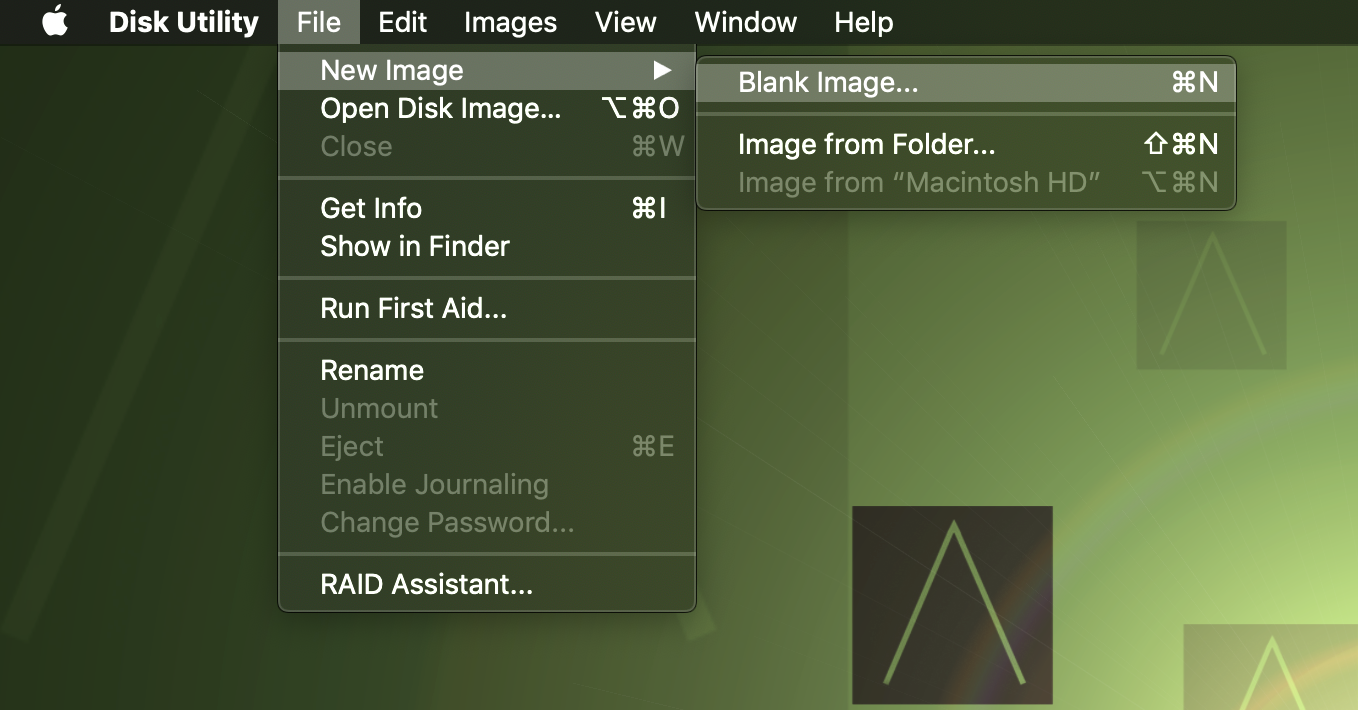
- Click on File > New Image > Blank Image
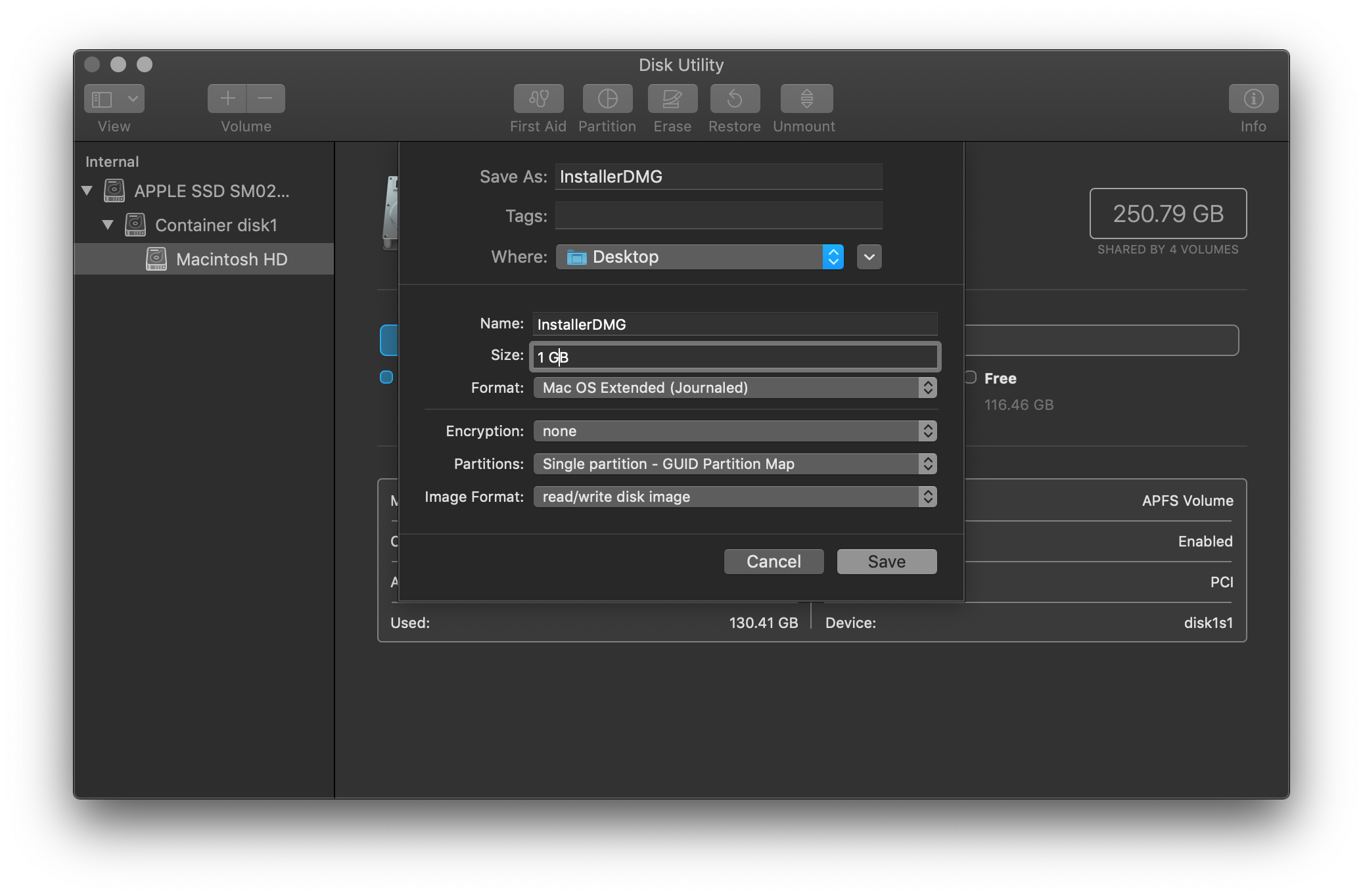
- Leave the default settings as is. Choose the size that you desire.
- Mount the Disk Image.
- Create a folder called background in the mounted volume.

- Save the background image in the folder we just created.
- Now we will hide the background folder. Switch to terminal and run the following command.
That’s it. You now have your own drag drop window ready for distribution.

