Backing up your WhatsApp messages using iCloud

Its a safe assumption that most of us use WhatsApp for our everyday communication. In fact, it is one of the most widely used methods of communication.

People use it for all kinds of things: Staying in touch with friends, family. Collaborating with people on an office project, conducting team meetings, communicating with a client. This means that our conversations are of utmost importance to us. So one should take care & back these messages up on a regular basis. The big advantage with backup is that one can even restore past conversations from the backup when the user switches from one iOS device to the other.

Use the following steps to backup your messages to iCloud

  1. First make sure you have turned on iCloud.

  2. Open Settings > iCloud

  3. Sign in with your Apple ID

  4. Switch to Whatsapp

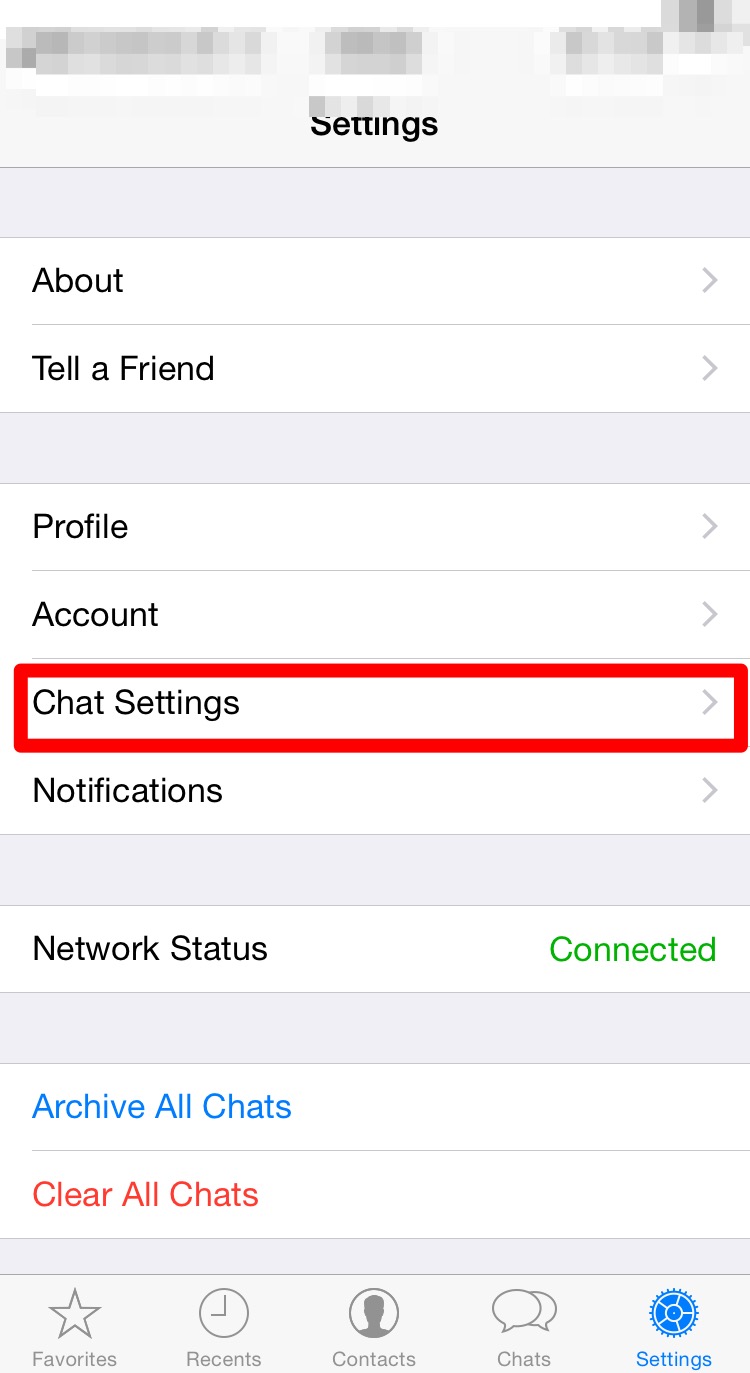
  5. Click on Settings

  6. Click on Chat SettingsIMG_0063

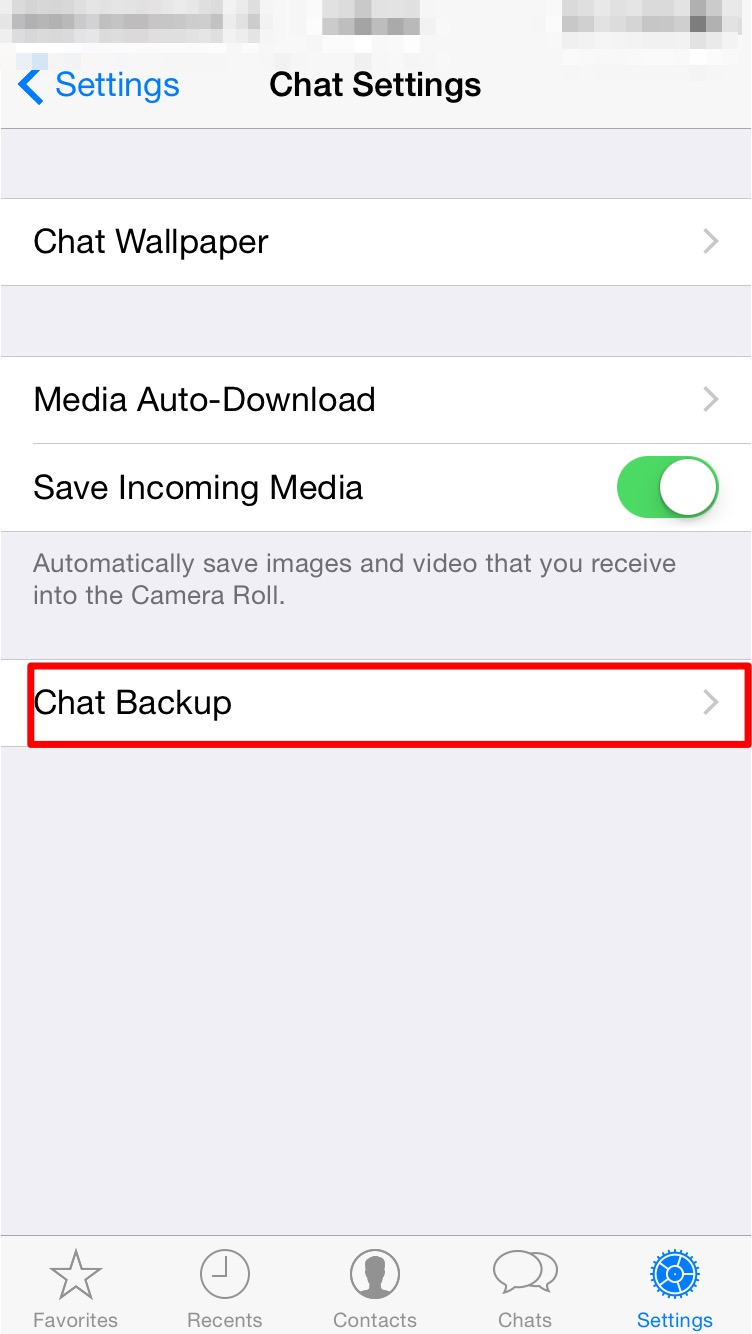
  7. Click on Chat BackupIMG_0064

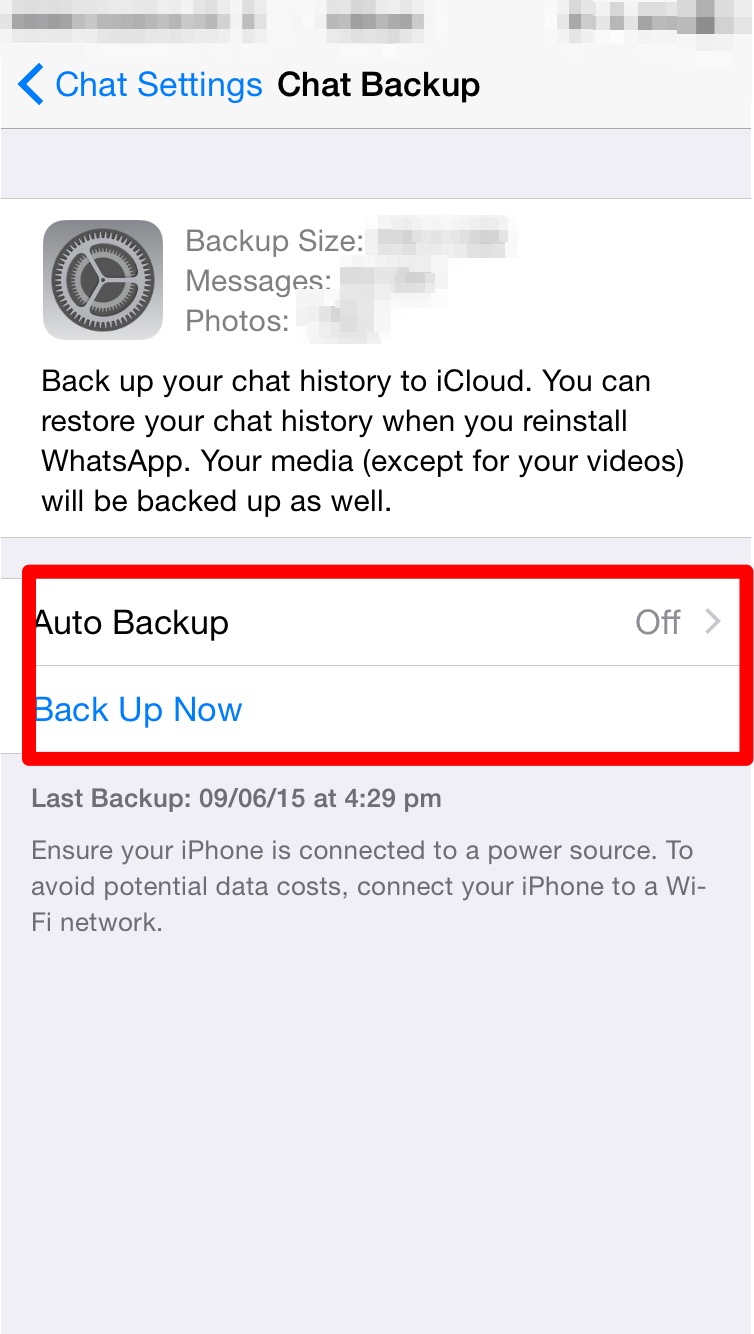
  8. Here you can set the auto backup feature or manually take a backup.IMG_0071

  9. Thats it, your Whatsapp messages are now being backed up.

While restoring the process is straightforward.

  1. Make sure you are signed into iCloud.

  2. Install Whatsapp.

  3. Enter your Phone number to verify.

  4. Enter the Code sent via SMS to your phone.

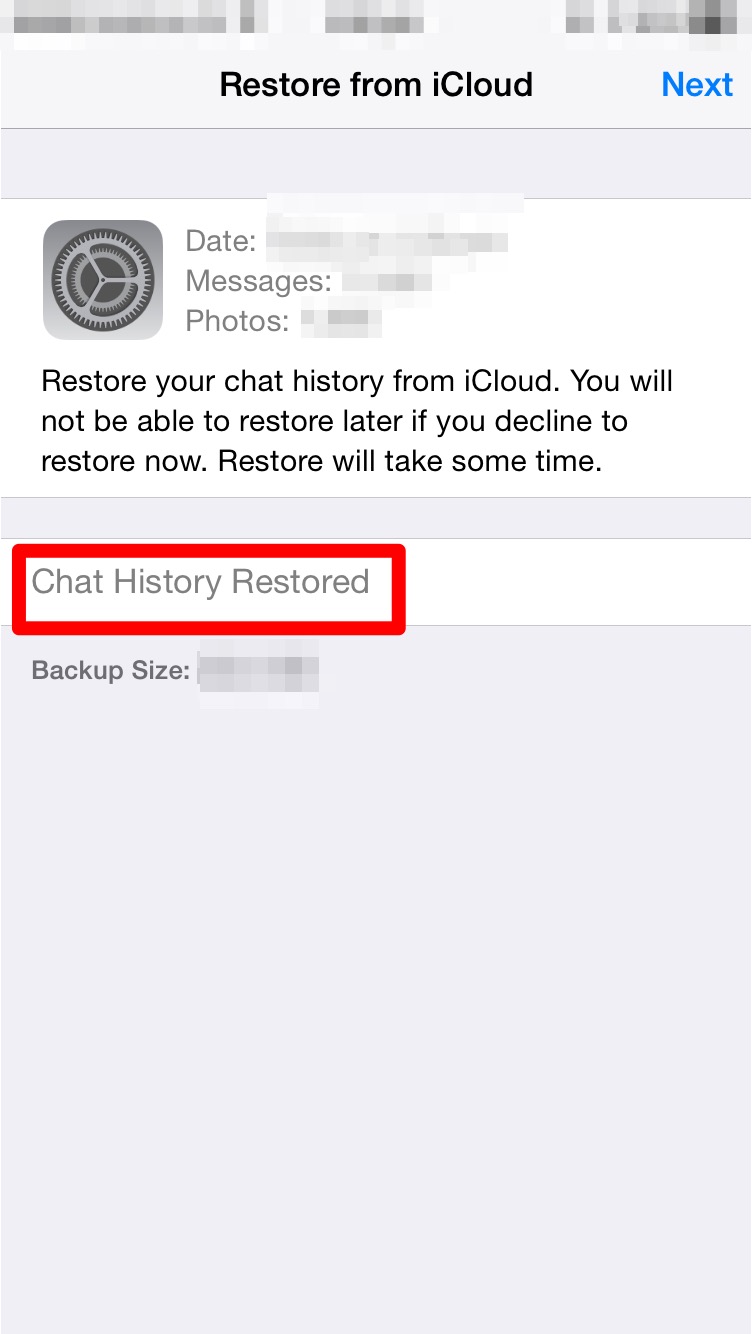
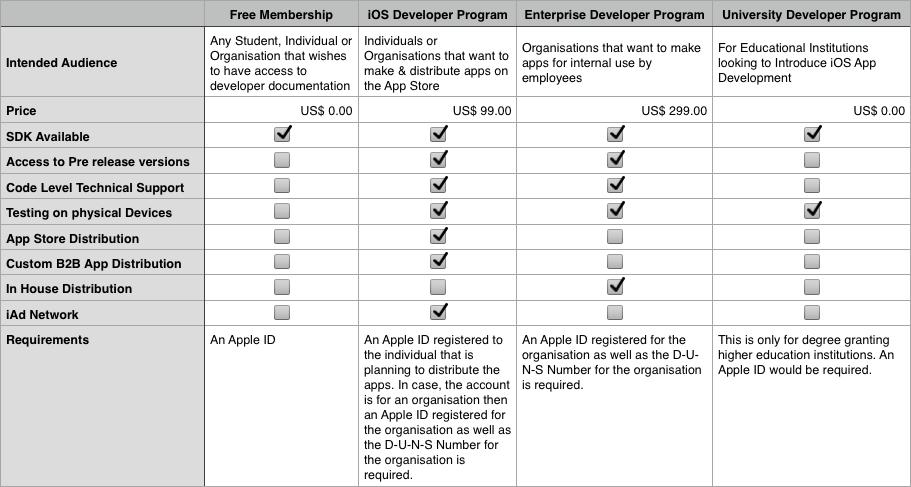
  5. You will be asked whether you want to restore your previous chats from iCloud.IMG_0067

  6. Just click restore.IMG_0068 IMG_0069 IMG_0070

  7. All your previous conversations should come up now.
iOS Developer Programs Explained

Most people who first venture off into App Development focus their efforts on the design of the App & its implementation. However, when the time to publish the app comes along then there are questions as to which developer program he/she should opt for.

Developer programs are online accounts created by Apple for the developer community. Each developer can register their own account from where they can manage the distribution of their apps, the collection of payments for purchase of apps or items within the app. The different programs offered are meant to cater to a specific audience set.

There are 4 different types of developer programs.

  • Free Membership
  • iOS Developer Program
  • Enterprise Developer Program
  • University Developer Program

Free Membership

This is the simplest program. Anyone can enrol for this & there is no cost involved. To sign up simply go to developer.apple.com & register. This is the perfect program for those looking to start iOS App Development. It gives the member full access to the latest guides, sample codes & information about the different classes & frameworks used for the current publicly available version of iOS.

iOS Developer Program

The iOS Developer Program is the paid version of the program. It costs $99 a year & is meant for those who wish to distribute apps on the App store. Apart from distribution it also gives the user options to test it on their own device. All the benefits from the Free Membership are also made available here.

Enterprise Developer Program

The Enterprise Developer Program is another paid program. It costs $299 a year & is meant for organisations who wish to distribute apps within the organisation to their own employees. The big difference between this program and the regular iOS Developer Program is the fact that in the Enterprise Program you have full control over how your apps are distributed to your employees & have to take care of the hosting as well as distribution aspects. The apps made by an organisation do not go onto the app store & are not verified by Apple.

University Developer Program

The University Developer Program is a free developer program meant for Universities or colleges. This program allows such educational institutes to test the apps made by students as part of the official curriculum. Limited distribution amongst students is also permitted. The program lacks the ability to perform large scale distribution or distribution on the App store.

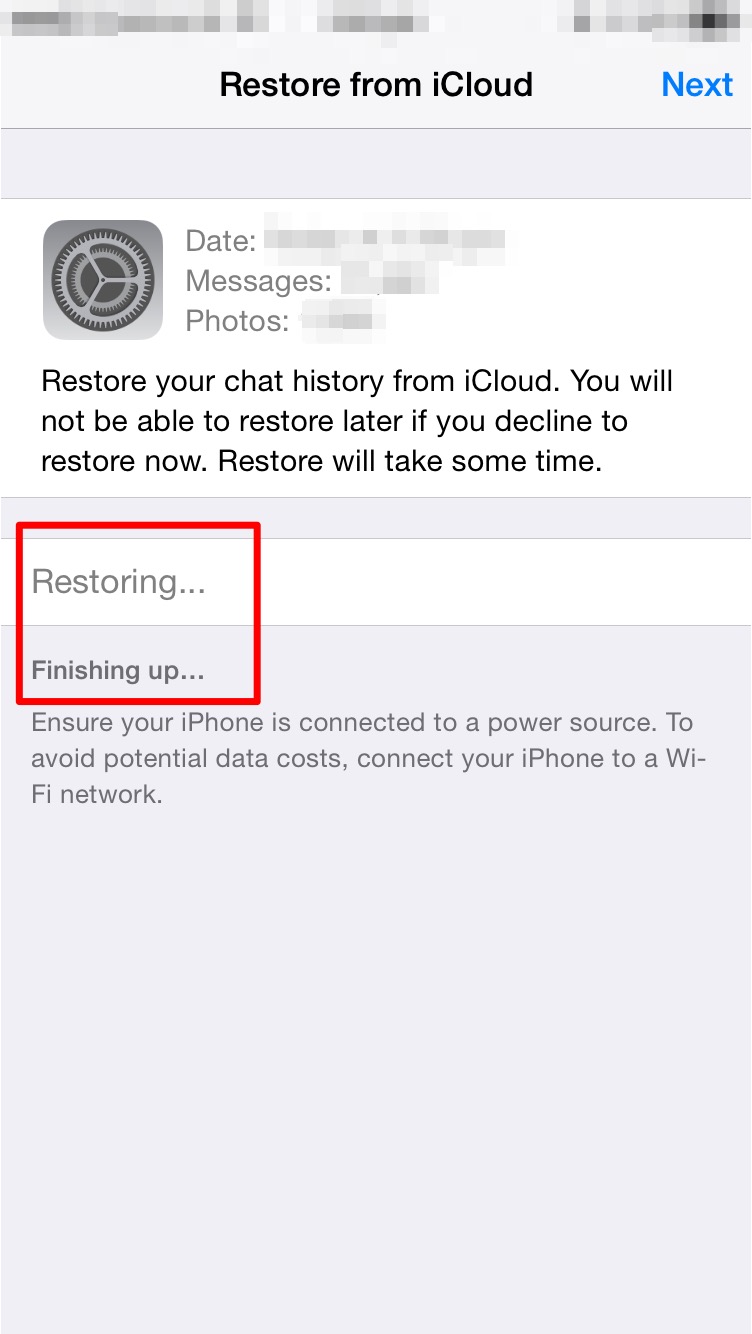
The table below illustrates the different  facilities made available to different account holders.

devProg

For more information related to the D-U-N-S Number:

C++ in iOS – 2

Continuing from the previous post. This one will look into a working example for the same. The code used here is pretty trivial. It is organized in the following sets of files. A c++ header file which contains the declaration of a class. A c++ implementation file (.cpp) where the member functions are implemented. An Objective-C++ header file which holds the C wrapper struct & an Objective-C wrapper object. An Objective-C++ implementation file (.mm) which implements the C struct & all the member functions for both the C struct as well as the Objective-C class.

CppStruct.h


#include <string>
class MyObject
{
     public:
          std::string getName();
          void setName(std::string tempName);
          MyObject();
      private:
           std::string name;
 };

CppStruct.cpp

#include "CppStruct.h"
#include <string>
#include <iostream>

std::string MyObject::getName()
{
     return name;
}

void MyObject::setName(std::string tempName)
{
     name = tempName;
}

MyObject::MyObject()
{
     name = "NIL";
}

CppStructWrapper.h

struct PersonWrapper;

@interface CppStructWrapper : NSObject
{
     struct PersonWrapper *obj;
}

-(void) makeAPerson;
-(void) setName:(NSString *) personName;
-(NSString *) getName;
@end

CppStructWrapper.mm

#import "CppStructWrapper.h"
#include "CppStruct.h"
#include <string>

@implementation CppStructWrapper

struct PersonWrapper
{
     MyObject *personObj;
     std::string getName();

     void setName(std::string tempName);
     PersonWrapper();
};

std::string PersonWrapper::getName()
{
     return personObj->getName();
}

void PersonWrapper::setName(std::string tempName)
{
     personObj->setName(tempName);
}

PersonWrapper::PersonWrapper()
{
     personObj = new MyObject;
}

-(id) init
{
     self = [super init];
     if(self)
     {
          obj = nil;
     }
     return self;
}

-(void) makeAPerson
{
     obj = new PersonWrapper;
}

-(void) setName:(NSString *) personName
{
     std::string temp([personName UTF8String]);
     obj->setName(temp);
}

-(NSString *) getName
{
     NSString *str = [[NSString alloc] initWithUTF8String:obj->getName().c_str()];
     return str;
}

@end

ViewController.m

//this code could be anywhere I have put it inside the ViewController.m within the init message.
#import "ViewController.h"
#import "CppStructWrapper.h"

-(id) init
{
     self = [super init];
     if(self)
     {
          CppStructWrapper *obj = [[CppStructWrapper alloc] init];
          [obj makeAPerson];
          [obj setName:@"ABC"];
          NSString *str = [obj getName];
          NSLog(@"%@",str);
     }
     return self;
}